
Reporting Malfunctions & Manual Reporting

7.0 Reporting Malfunctions & Manual Reporting
7.1 Guideline
We understand that malfunctions occur from time to time, so we have established new guidelines for manual reports to be filed. This procedure MUST be followed, or the manual pilot report will be automatically rejected.
YOU MUST PROVIDE DOCUMENTED EVIDENCE THAT YOU FLEW YOUR FLIGHT FOLLOWING OUR PUBLISHED TIMETABLE FROM A RELIABLE SOURCE FOR YOUR PIREP TO BE APPROVED. IF THE EVIDENCE YOU PROVIDE CAN BE EASILY MANIPULATED, YOU WILL NOT BE ABLE TO USE THAT SOURCE AS PROOF. RELIABLE SOURCES ARE AS FOLLOWS:
- For all ACARS systems (including VOLANTA &
SKTP)STKP) you can send a screenshot of the FLIGHT RECAP, or a screenshot of SmartCARS3, vmsACARS FLIGHT LOG - A screenshot of your ongoing flight taken from the "Flight Details Page" within the CrewCenter. You can easily obtain it by clicking on your Flight Number below the Map or by selecting your flight on the Map and then clicking on the Flight Number that will appear.
Refer to the example on the next page for what a valid screenshot looks like:
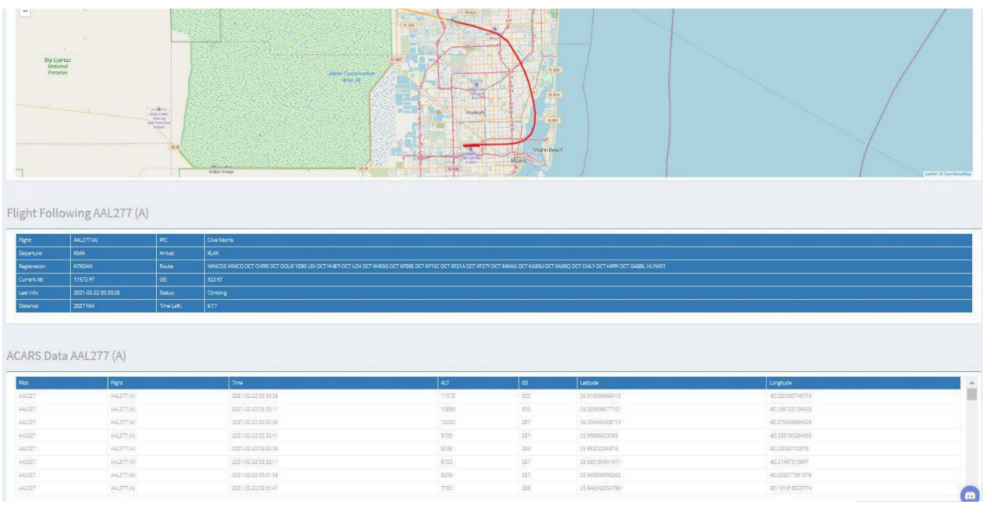
Please use the guidelines posted above when your reporting system fails. You must meet the above-referenced requirements and submit it to your Hub Manager via email (or Discord channel) for the manual report to be approved.